

Every claim you submit for a wound care procedure, whether it’s an amniotic tissue graft application or a routine debridement, starts with one document: the CMS 1500. Getting the CMS 1500 claim form instructions right matters because a single misplaced code or blank field can delay reimbursement by weeks, or trigger a denial altogether. For providers billing Medicare Part B for advanced biologics and skin substitutes, accuracy on this form isn’t optional.
At Ascend BioGraft, we work alongside wound care physicians and clinics every day, handling documentation packages, medical necessity paperwork, and reimbursement verification for our amniotic tissue allografts. That experience has given us a front-row seat to the most common CMS 1500 mistakes, and what it takes to avoid them.
This guide walks through the CMS 1500 form field by field, with clear instructions for each box so you can submit clean claims the first time. We’ll cover patient information, provider details, diagnosis codes, procedure codes, and the fields that trip up even experienced billing staff.
What the CMS-1500 form is and when to use it
The CMS-1500 is the standard paper claim form that non-institutional healthcare providers use to bill Medicare, Medicaid, and most commercial insurance payers for professional services. The National Uniform Claim Committee (NUCC) maintains the form, and its current version (02/12) is the only version most payers accept. You’ll recognize it by its distinct red-ink layout, which is specifically designed for optical character recognition (OCR) scanning so payers can process it electronically after it arrives.
When to use the CMS-1500
Providers submit the CMS-1500 when billing outpatient or office-based professional services outside a hospital or facility setting. Following the correct cms 1500 claim form instructions matters because payers reject claims that use outdated form versions or improperly formatted fields. Wound care clinics, podiatry offices, and home health providers all rely on this form to bill for services like amniotic tissue graft applications, debridements, and office visits.
The CMS-1500 is for professional claims only. Inpatient facility billing uses the UB-04 form, and submitting the wrong form type results in an automatic rejection.
Common situations where you’ll use the CMS-1500 include:
- Physician office visits billed under Medicare Part B
- Outpatient wound care procedures, including skin substitute and allograft applications
- Podiatry services such as debridement and graft placement
- Home health professional services billed by individual providers
Who accepts the CMS-1500
Medicare Part B processes paper CMS-1500 claims through its Medicare Administrative Contractors (MACs). Most Medicaid programs and commercial payers also accept it for professional claims, though many now prefer electronic submissions via the 837P transaction, which maps directly to the CMS-1500 data fields.
Before you fill it out: rules, data, and common pitfalls
Before you write a single digit, confirm you have the 02/12 version of the CMS-1500. Payers reject older versions automatically, and no amount of correct coding fixes a wrong form version denial. Print on original red-ink forms or use approved billing software that replicates the OCR-compliant layout exactly.
Gather the right data before you start
Following the cms 1500 claim form instructions correctly requires specific data on hand before you begin. Pull together the patient’s insurance card and demographic details, the referring provider’s NPI, ICD-10-CM diagnosis codes, CPT/HCPCS procedure codes, and the exact date of service. Missing any one of these mid-completion leads to transcription errors that slow reimbursement.
Always verify Medicare eligibility and any secondary coverage before starting, since these details affect multiple fields across boxes 1 through 13.
Common pitfalls that cause denials
Incomplete or mismatched fields account for the majority of CMS-1500 rejections. The most frequent problems include:
- Patient name mismatches between the claim and the insurance record
- Missing modifiers on procedure codes
- Incorrect NPI placement in boxes 24J versus 33
Catching these issues before submission saves significant follow-up time and keeps your reimbursement cycle on track.
Patient and insurance details: boxes 1 through 13
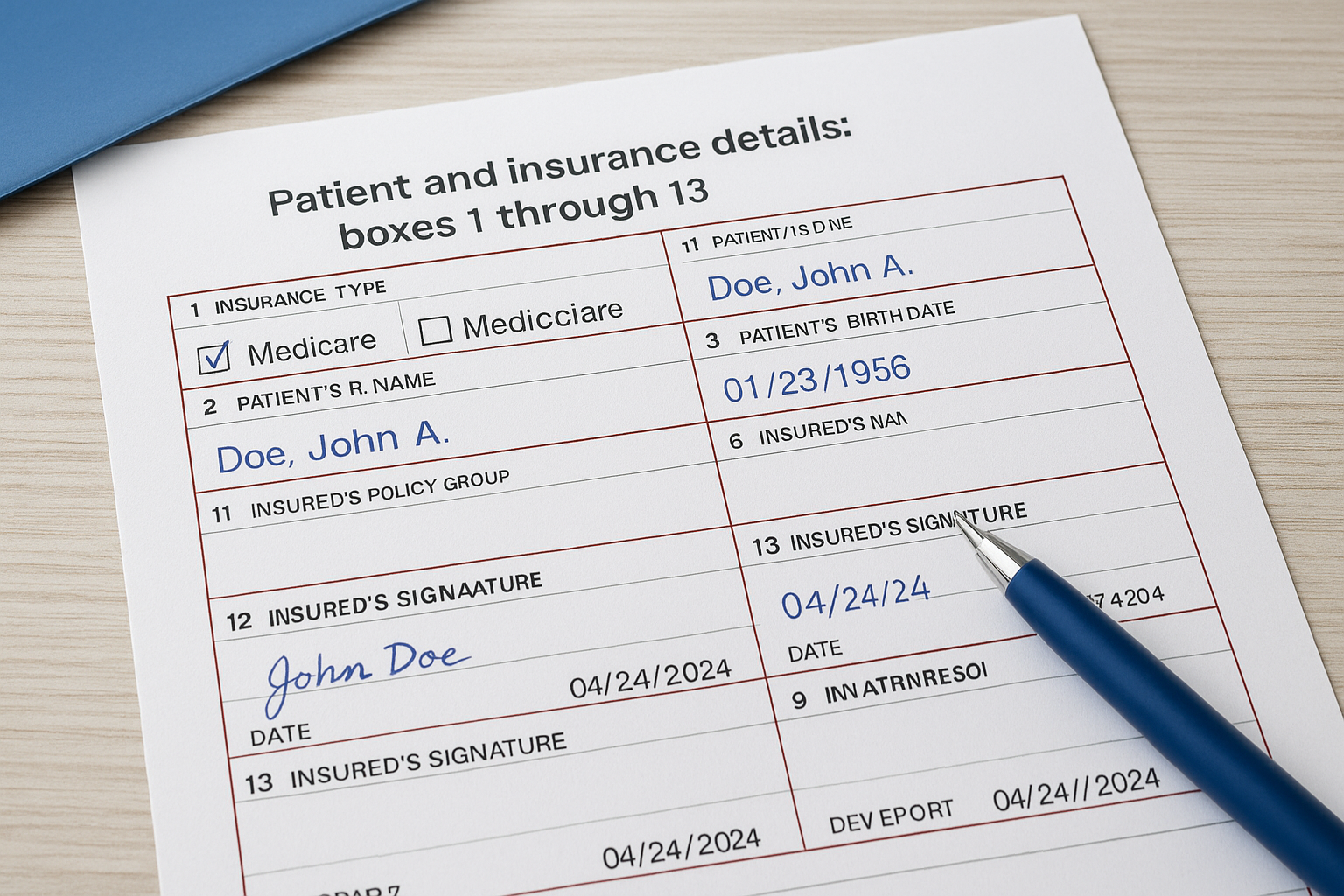
Boxes 1 through 13 capture everything about the patient and their insurance coverage. These fields establish who the claim is for and who is responsible for payment, so errors here trigger denials before a payer even reviews your procedure codes. Following the cms 1500 claim form instructions for this section carefully protects your reimbursement timeline.
Key fields and what to enter
Use the table below as a quick reference for the most critical boxes in this section:
| Box | Field | What to enter |
|---|---|---|
| 1 | Insurance type | Check Medicare, Medicaid, or applicable payer |
| 1a | Insured’s ID number | Medicare Beneficiary Identifier (MBI) |
| 2 | Patient’s name | Last name, first name, middle initial |
| 3 | Patient DOB and sex | MM/DD/YYYY format |
| 4 | Insured’s name | Enter only if different from patient |
| 11 | Insured’s policy group | Leave blank for Medicare only |
| 12 | Patient authorization | Patient signature and date |
| 13 | Assignment of benefits | Insured’s signature authorizing payment to provider |
Box 1a requires the MBI, not the older Health Insurance Claim Number (HICN), for all Medicare claims submitted today.
Box 12 and 13 signatures
Both boxes require valid signatures before you submit the claim. You can use a signature on file if the patient previously signed a blanket authorization, but you must document that authorization separately and retain it in the patient record for auditing purposes.
Clinical and service details: boxes 14 through 24J
Boxes 14 through 24J carry the clinical story behind your claim. These fields tell the payer what condition you treated, when you treated it, and exactly which services you performed. Errors in this section trigger medical necessity denials and code mismatch rejections, which are among the most common reasons wound care claims stall.
Boxes 14 through 23: condition and coding context
Box 14 captures the date of the current illness, injury, or pregnancy onset. For chronic wounds, use the date the wound was first documented. Box 21 is where you enter up to 12 ICD-10-CM diagnosis codes, ranked by clinical priority. For an amniotic graft application, your primary code typically reflects the wound type, followed by the underlying condition such as diabetes.
Link each procedure in box 24E back to the correct diagnosis pointer from box 21, or the payer cannot establish medical necessity.
Box 24: the service line detail block
Box 24 contains columns A through J, covering date of service, place of service, CPT/HCPCS codes, modifiers, diagnosis pointers, and billed charges. Following the cms 1500 claim form instructions for box 24J specifically requires you to enter the rendering provider’s individual NPI, not the group NPI, in the shaded portion of that field.

Billing provider and submission: boxes 25 through 33
Boxes 25 through 33 identify who provided the service and where to send the reimbursement payment. These fields close out your claim with billing entity details, federal tax information, and submission routing. Errors here delay payment even when your clinical coding is perfect.
Key fields in boxes 25 through 33
These boxes contain your billing provider’s identity and financial routing data. Payers use them to verify your NPI and tax identification match their enrolled provider records before releasing payment.
| Box | Field | What to enter |
|---|---|---|
| 25 | Federal Tax ID | EIN or SSN; check the appropriate box |
| 26 | Patient account number | Your internal account number |
| 27 | Accept assignment | Check "Yes" for Medicare |
| 28 | Total charge | Sum of all service line charges |
| 29 | Amount paid | Any patient payments already received |
| 31 | Signature of physician | Provider signature and date |
| 32 | Service facility location | Where service was rendered |
| 33 | Billing provider info | Group NPI and contact details |
Box 33 and NPI placement
Following the cms 1500 claim form instructions for box 33 means entering your group NPI in box 33a and your billing provider’s address and phone number in the main field. Box 32a takes the facility NPI where the service occurred. Swapping these two NPIs is a frequent billing error that routes reimbursement incorrectly.
Always confirm box 27 shows "Yes" for Medicare claims, since leaving it blank triggers an automatic assignment denial.
A simple checklist to send cleaner claims
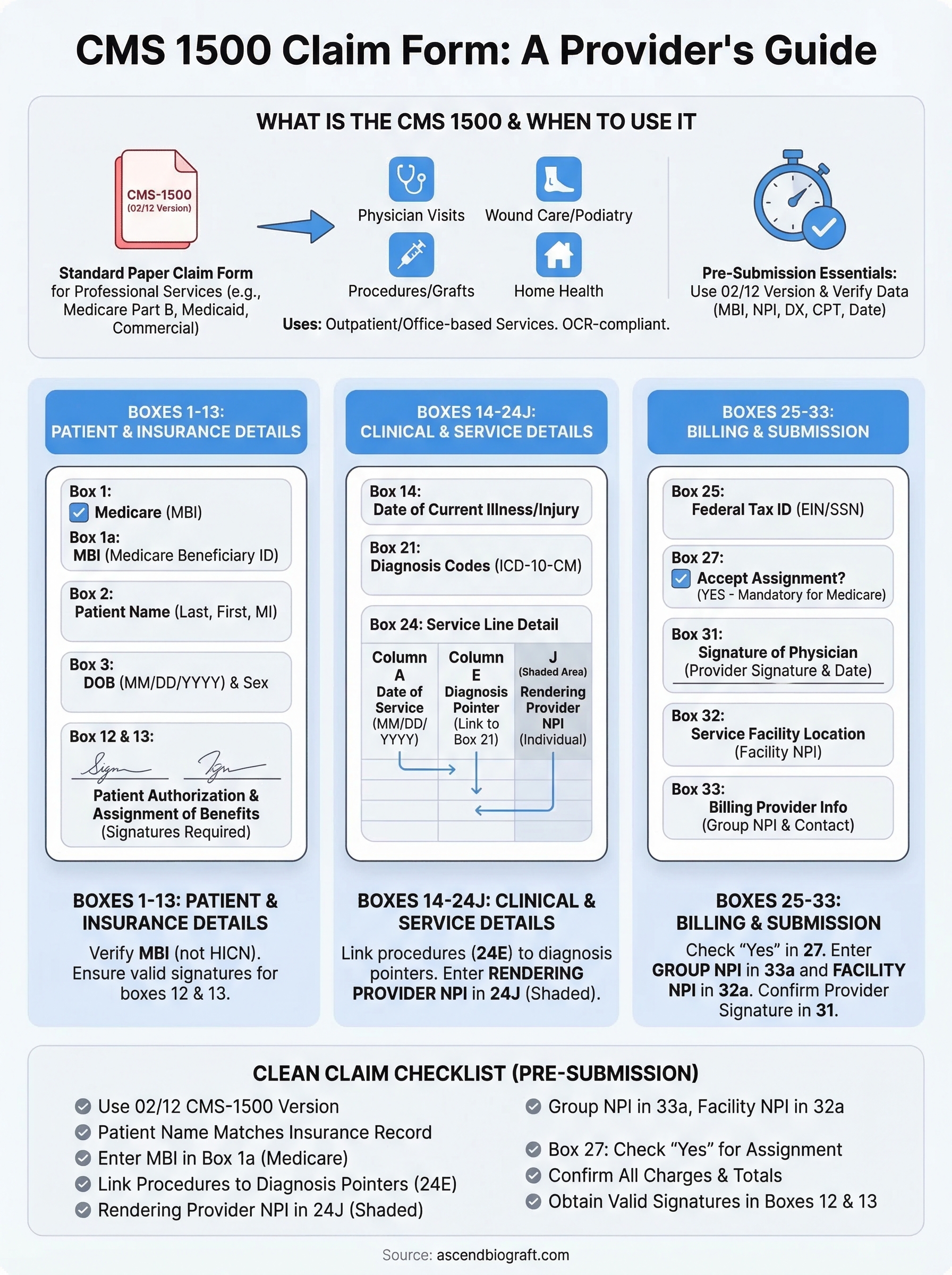
Running through a quick pre-submission review catches most CMS 1500 claim form instructions errors before they reach the payer. Use the checklist below every time you prepare a claim:
- Confirm you’re using the 02/12 version of the CMS-1500
- Verify the patient name matches the insurance record exactly
- Enter the MBI (not the HICN) in box 1a for Medicare claims
- Link every procedure in box 24E to the correct diagnosis pointer from box 21
- Place the rendering provider’s individual NPI in box 24J (shaded)
- Place the group NPI in box 33a, not box 32a
- Check box 27 shows "Yes" for Medicare assignment
- Confirm all charges in box 28 match your line-item totals
- Obtain valid signatures for boxes 12 and 13
Catching these details before submission keeps your reimbursement cycle moving and reduces the administrative follow-up that slows down your practice. If you need support with biologic graft documentation and Medicare billing, contact the Ascend BioGraft team to learn how we streamline the process for wound care providers.